My first hour with Forza Horizon 2 (Xbox One)

Forza Horizon 2 Day One edition

It’s been quite awhile since two must buy games released on the same day, but the stars have aligned today in a sense with both Middle-Earth: Shadow of Mordor and Forza Horizon 2 seeing release. I had been quite excited for both these games and from my early impressions, neither has disappointed.

I absolutely love the Forza series, nothing comes close in the racing game genre. I never really enjoyed other ‘street’ or off the closed track racing games until the first Forza Horizon came around. Forza Horizon took everything great about the Forza series (authentic looking, sounding and handling cars, and all around great racing) and brought it off the track and it was a blast. I loved all of the different challenges in the world and the online multiplayer was amazing.

Forza Horizon 2 takes influence from Forza 5 and Forza Horizon and brings it to a new open world that’s absolutely stunning from what little I’ve seen of it so far.

First of all it’s worth noting that Drivatars return in Forza Horizon 2. I saw a lot of my friend’s drivatars in the first few races I did (they also show up in the open world) and since I only knew one other person to be playing Forza Horizon 2 so far it seems that they’re pulling Drivatars from Forza 5 and bringing them over to Forza Horizon 2 which is nice as it populates the world and gives you something more than just AI to race against.

Some other new additions to Forza Horizon include more realistic rain and cross country (off road) racing. The rain effects in Horizon 2 are pretty neat, especially while driving with the inside the car view (which honestly is the only view you should be using in Forza games!). You’ll even see your windshield wipers at work which is a neat little addition. Cross country races have you cutting through deep patches of grass and other plant life, navigating between trees (some of which are destructible) and other obstacles in between sections of asphalt or dirt road. It’s crazy looking out from within your car because you’ll find it hard to see anything and it’s an absolute thrill attempting to navigate between obstacles and other cars while trying to make your way to the front of the pack.

I have yet to try out any of the online features, but I’m excited to give them a try tomorrow. If they’re anything like the original Horizon I’m sure they’ll pack hours of fun.

Lastly, one of my favorite features from Forza Horizon is still around in Horizon 2. Everytime you level up you’ll get a chance to ‘spin the wheel’ where you can be rewarded with varying amounts of credits (including some large amounts) or even a brand new car! It’s a fun and addicting feature that’ll keep you racing toward that next driver level.
 

My first two hours with Shadow of Mordor (Xbox One)

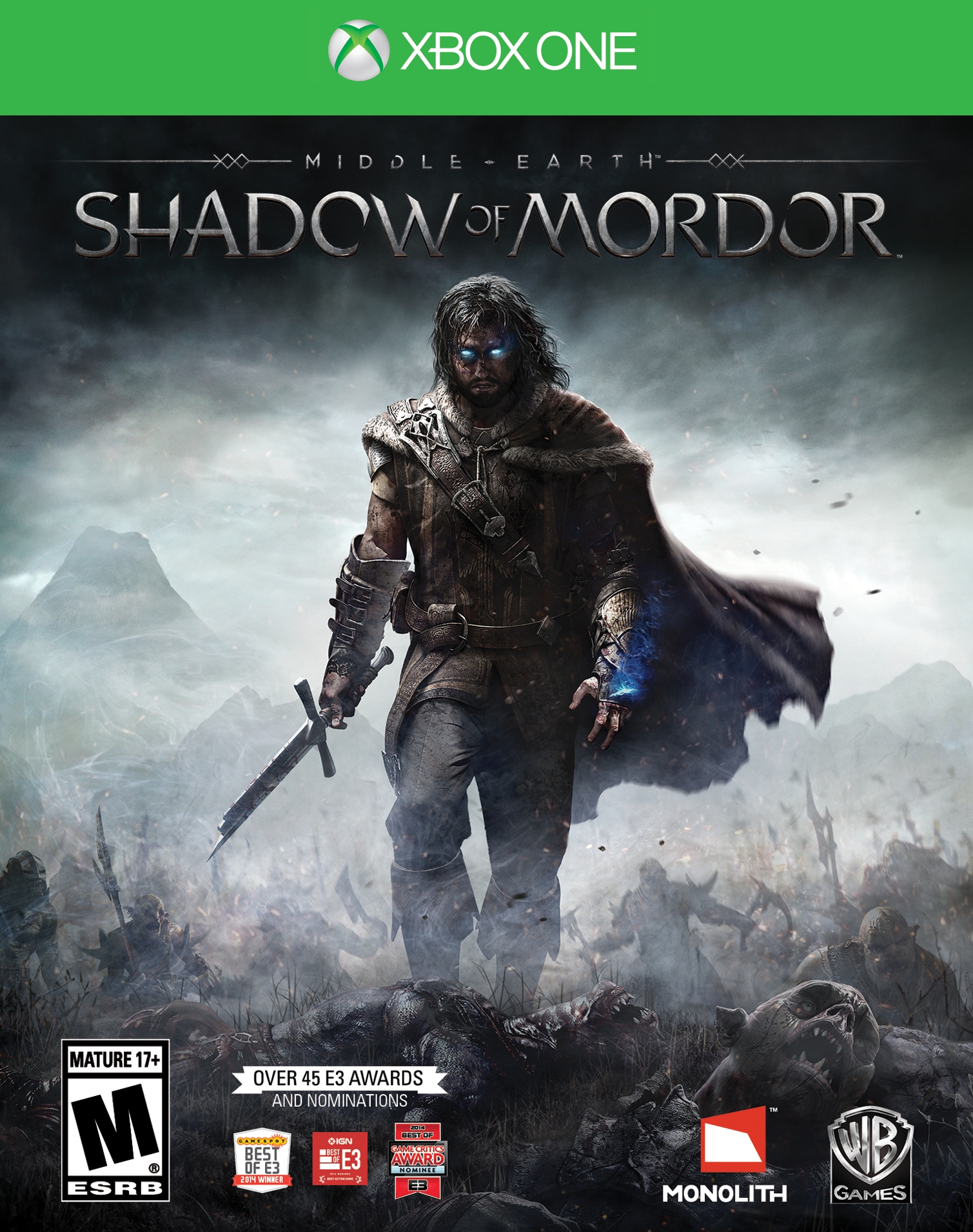
Shadow of Mordor Xbox One

Tonight I played about two hours of Shadow of Mordor on the Xbox One and enjoyed it quite a bit. I managed to kill off a few Captains, but also ran into some very sticky situations and managed to die three or four times already. I’ve had fun so far, but I started to get frustrated toward the end of my two hours.

I completed the first two story missions (or 2 of 3 that were available) and enjoyed those. I managed to die mostly because of mistimed button presses and the fact that I tend to play most video games poorly in the first place (unfortunately there’s no difficulty adjustment in Shadow of Mordor). I’m never any good at timing dodges right, especially when you not only have to time dodges with ‘A’ but also counters with ‘Y’. I’ll do alright if it’s just one or the other, but when I’m being attacked by different enemies and have to use both I just can’t get the hang of it.

Toward the end of my time with the game tonight I ran into a Captain who I didn’t have any intel on and probably shouldn’t have tried confronting him. He had some sort of ability that made my screen go red and constantly drained my health and I couldn’t figure out what was causing it or how to stop it. I’d run away and try to find some herbs to regain my health, but eventually he killed me off and I decided to take a break from the game for now.

I really like the idea of the Nemesis system, where enemies in the game can be promoted based on their actions and become stronger and gain new abilities if they defeat you in combat. You’ll be certain to face them again later and they’ll certainly remember you. Also if you happen to defeat an enemy they may also return, beaten, battered and scarred and ready for their revenge. It’s a pretty cool system that I think will add hours of exciting gameplay as you’re tempted to try to topple them all. It’s worth noting that the genesis system is only available on current gen consoles (Xbox One, PS4, PC). I can’t imagine how the game plays on last gen systems, as I think the genesis system is a core part of Shadow of Mordor and what sets it apart from other hack and slash games.

I look forward to diving deeper into Shadow of Mordor and hopefully figuring out how to overcome the Captain’s who haven slain me thus far.


Destiny has started to grow on me..

After quite a few more hours spent in Destiny I’m starting to enjoy it a bit more than I had initially. There are still problems, as I’ve stated before there absolutely needs to be some sort of voice chat (ideally limited in range so that it’s not overcrowded) in the open world and also in matchmade strikes and crucible matches. The lack of voice chat makes it feel like the entire world consists of AI bots who aren’t really human controlled at all.

That said, as a Halo fan I’m enjoying the Crucible. It’s satisfying in many ways, one of which is the fact that you get to bring your own guns into the fight. This makes everything feel all the more personal, even if there’s some sort of behind the scenes work to even the playing field. My favorite Crucible matches are the Control matches, which are basically 6 vs 6 three point king of the hill matches. When you get matched up with a good team there’s nothing more fun, especially if you get the chance to stay with those players for several rounds. Unfortunately the lack of voice chat again makes it feel as if I’m playing with a bunch of AI that occasionally acts human.

The story is still…Destiny. Not quite sure how to put it, but it’s a bunch of jibberish with the occasional cut scene spouting some nonsense or your flying Cortana cube spouting some nonsense during a loading screen. Every single mission follows the same format, infiltrate some place, find a terminal, defend, fight a boss, end of mission. This would ruin the game if the shooting wasn’t so satisfying.

There’s still no real loot drive in the game, at least for me. In games such as Diablo and Borderlands I’m constantly driven to try to find a better weapon to devastate hordes of enemies with. In Destiny no loot drop seems to make any significant difference at all. Sure once you hit level 20 you need to find legendary loot to increase your Light level (I just hit 20 today, so I can’t comment much on this process), but there’s no endless pull to cause you to keep playing like there is in Diablo and Borderlands.

All that said, I’m going to continue playing for awhile longer, probably until Master Chief collection and GTA V come out for the Xbox One.

Until then, I’ll again leave you with this: If you enjoy shooting things, Destiny may just scratch that itch. If you enjoy first person shooter multiplayer games The Crucible may give you what you’re looking for. Destiny excels at giving you stuff to shoot at and making it feel satisfying, but it’s not necessarily great at anything else. At least Halo had an enjoyable story alongside its lasting multiplayer and Borderlands gave you interesting characters and an endless supply of satisfying loot.

Need for Speed Rivals is now free via EA Access

EA Access on Xbox One continues to more than pay for itself with a growing library of free games available in the Vault. Need for Speed Rivals joins Battlefield 4, Madden 25, FIFA 14 and Peggle 2 as the games you’ll get for free with your $5 a month subscription.

I haven’t played a Need for Speed game in ages, and I didn’t expect to have much fun with Rivals, but it’s not too bad of an experience. I tend to prefer simulation racers (Forza) and have never enjoyed arcadey racers like Burnout, but Rivals isn’t too bad. Sure the “story” is laughable and should be skipped outright, but the gameplay is enjoyable. It reminds me a lot of Forza Horizon in that you’re put into a world with other racers and basically mark various events and races on your map and drive to them to start them. You’ll be able to engage in head to head races on the way if you choose and may also get pursued by the police. Any money you earn during your session needs to be banked by heading into a safe house, otherwise if you get busted you’ll lose everything you earned (however, mission progress is not reset).

The only thing I can say I dislike about the game is the load times. Stopping by a safe house to bank earnings is a time consuming process and the load screens involved have kept me from playing more of Rivals. I definitely recommend picking up EA Access and giving Need for Speed Rivals a shot though. You’ll definitely get $5 worth of fun out of it.

How to open your Destiny fireteam to the public (Xbox One)

Edited on January 25, 2015. Added video instructions.

As of right now, every time you boot up Destiny your Fireteam is automatically set to private. In order to open it up to the public (which everyone should do if not playing with friends) you have to complete a few steps. Every single time you decide to play. That’s right, every time you quit out of Destiny your Fireteam settings default back to private.

These instructions are written assuming you’re not using a Kinect (I didn’t bring mine with me overseas). I would assume you’d be able to cut out a few steps using Kinect voice commands, but I’m sure you can figure that out.

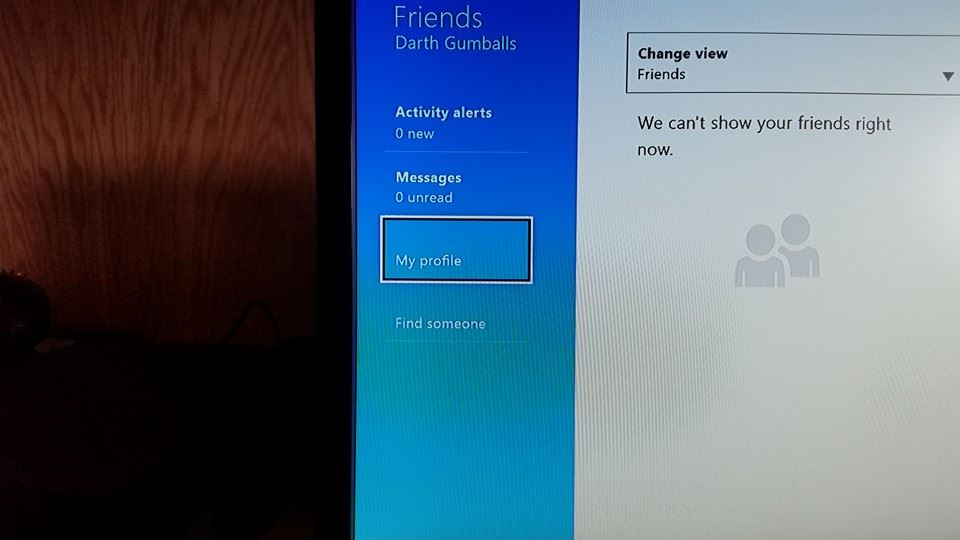
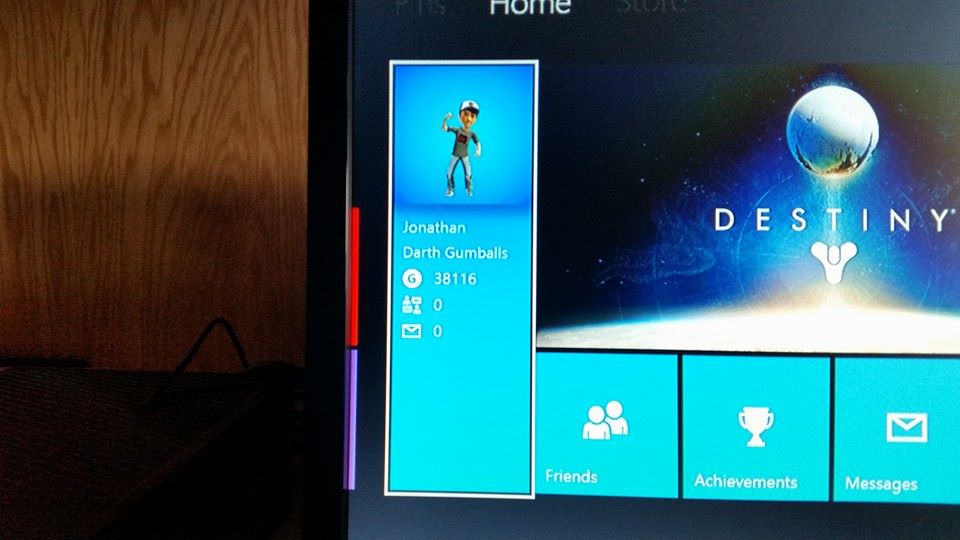
So the first thing you want to do is hit the Home button.10338222_10107186814198624_2771587405740673597_n

Next you’ll want to select the panel shown above.

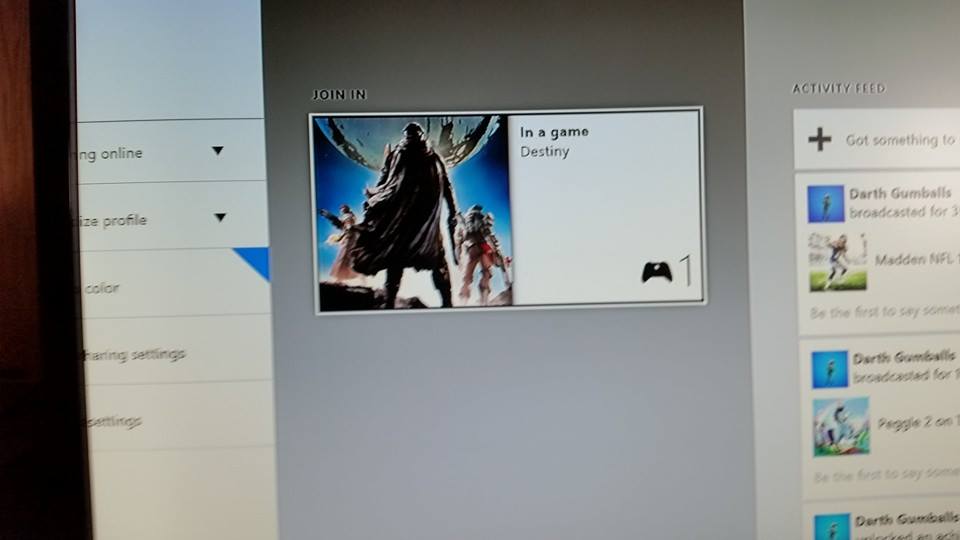
10416568_10107186814308404_5216048745173500850_n

Then select My Profile.

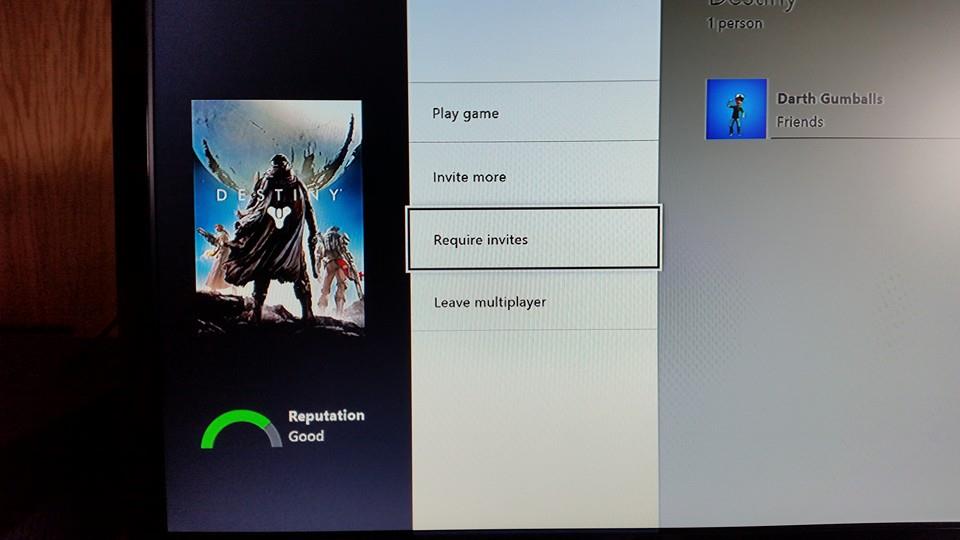
10511332_10107186814473074_1032383969573465173_n

Select Destiny (off to the right assuming you’re currently in game).

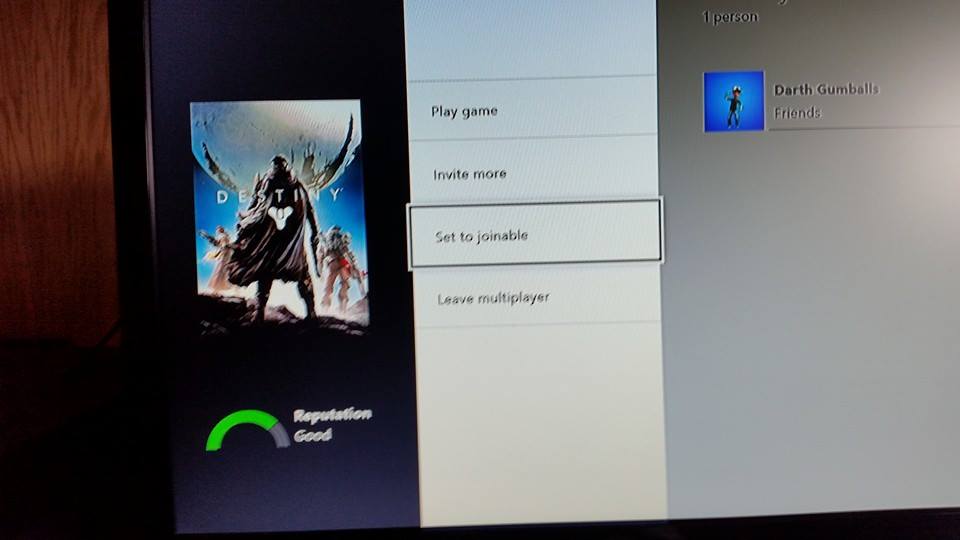
10373674_10107186814642734_6056667040032735070_n

This is what you’ll see before you change the setting. Select ‘Requires invites’ to change it to ‘Set to joinable’ and you’re good to go.

10665848_10107186814887244_4800289519138612898_n

My first hour with Destiny (Xbox One)

I’ve been back and forth on whether not to buy Destiny leading up to its release this week. When I played the beta I most certainly enjoyed the shooter elements of the game, and it felt solid and a lot like Bungie (Halo) which was (is) a good thing. Yet one thing that really bothered me was the MMO-ness of it. The missions and enemies just sort of feel like filler with very little reward from mission to mission. At least in Halo you get some pretty sweet cut scenes (the ones in Destiny are not on par) that tie together a compelling story (is there even a story in Destiny?). I disliked the way each and every enemy takes seemingly too long to kill (have to sit there and drain its health), all acting as ‘trash’ or filler leading up to a boss and the completion of a mission. This takes out all of the speed and ‘bad assness’ you get from a Halo game. So far you always feel overly weak and helpless in Destiny.

My first hour with Destiny’s full release has been no different than my first hour with the beta release. I’m still not convinced I’m going to enjoy Destiny in the long run, and I’m not convinced the audience is going to stay tuned long enough for Bungie to do everything they wanted with the game. I tried out Defiance about a year ago and it was empty, cold, desolate, abandoned. I’m not so sure Destiny will be any better 8 or 9 months from now.

Regardless, I’ll continue to play on and hopefully find some more things to like about Destiny. You can check out my first hour of gameplay below (once it’s finished processing shortly). I’ll be streaming to my Twitch channel in the future, so be sure to stop by if you’re interested in how my Destiny journey is coming along.

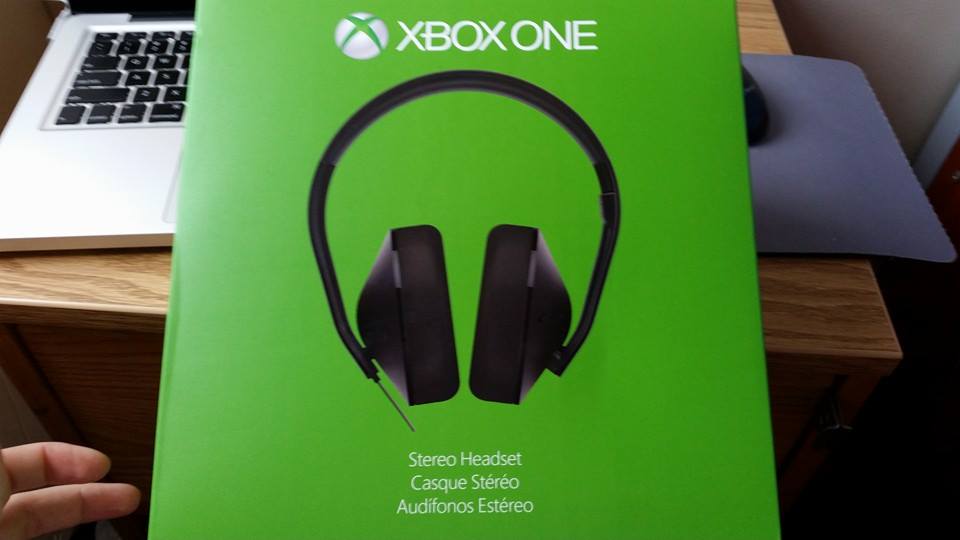
Xbox One Stereo Headset

Xbox One stereo headset

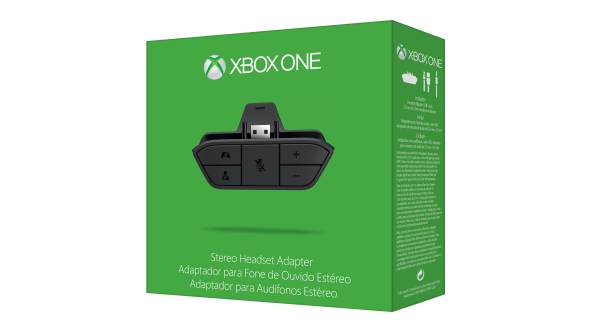
The other night I picked up the Xbox One Stereo Headset. I had been wondering if the Xbox One headset adapter would allow me to plug headphones directly into the controller as opposed to the TV (you can), however the BX was out of adapters and only had headsets so I figured what the heck.

I’m glad I made the purchase. The headphones deliver pretty good sound (I’ll stick to my Bose SoundTrue for movies) and are more comfortable than the Turtle Beaches I used to have (again the Bose are still more comfortable in the long run). The main thing I like about them is that they get game sound from the controller, there’s no need to plug anything into the console or TV (something I hated about the Turtle Beaches).

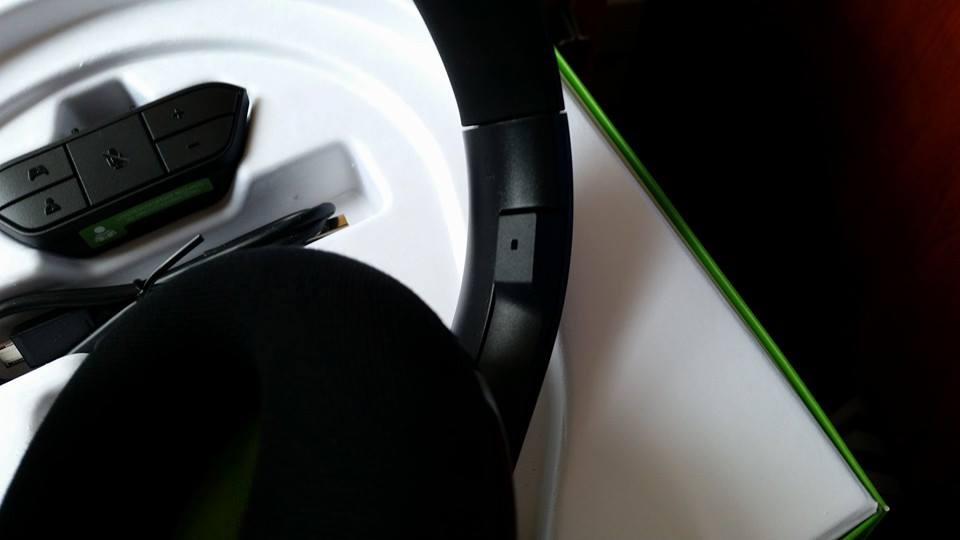
They seem to be designed quite well, and I like how the microphone tucks into the headset when not in use, as you can see below.

10646794_10107122662593954_8201484060325845211_n

I also like the flat design of the wire which keeps it from tangling.

For around $80 (they were on sale for $50 on Amazon last I checked) they’re definitely a worthwhile purchase if you don’t already have a headset (if you do, pick up the standalone adapter for $25).

Lastly, I enjoyed the box design, as silly as it seems. Check out the unboxing gallery below.

This slideshow requires JavaScript.

Can you use regular headphones with Xbox One headset adapter?

xbox headset adapter

The other night I had a bit of trouble finding a definitive answer to this question, so I figured I’d answer it for anyone else wondering the same. Yes, just about any set of headphones will work with the Xbox One headset adapter (for game / chat sound at least).

Since I’m ‘deployed’ and have a roommate I had been previously plugging my Bose headphones into the TV so that I could game without bothering anyone, however being able to plug my headphones directly into the controller (via the adapter) has made things much more convenient. You can receive game and chat audio wirelessly via the controller, though not all headsets will work for chat (it would seem inline microphones won’t work).


SmartGlass for Xbox One (I love it!)

13948_10107107522175474_8441258748957929608_n

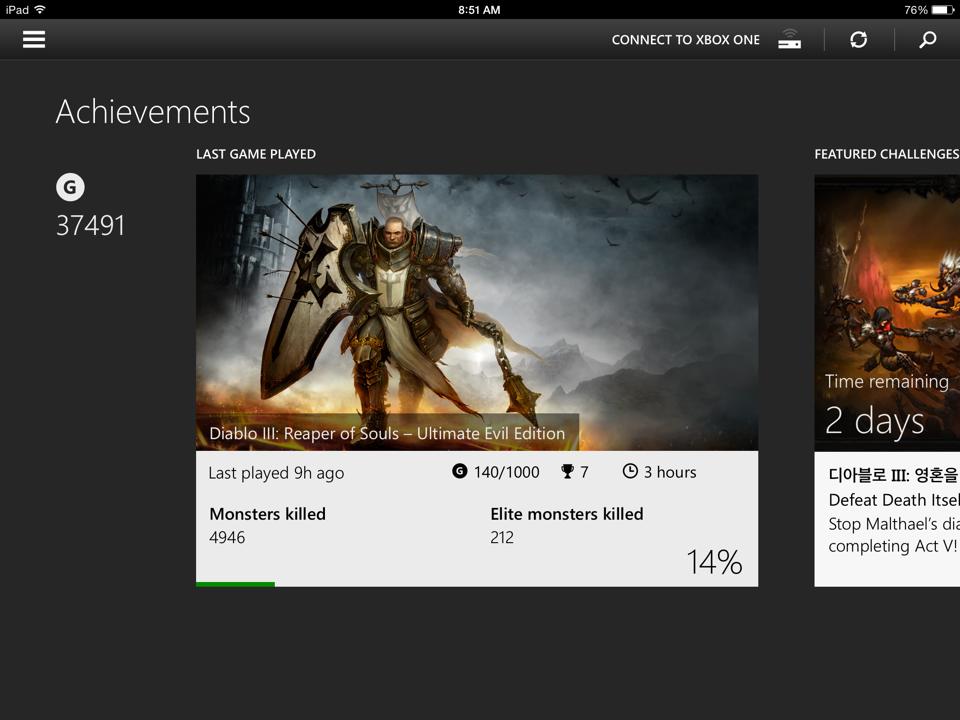
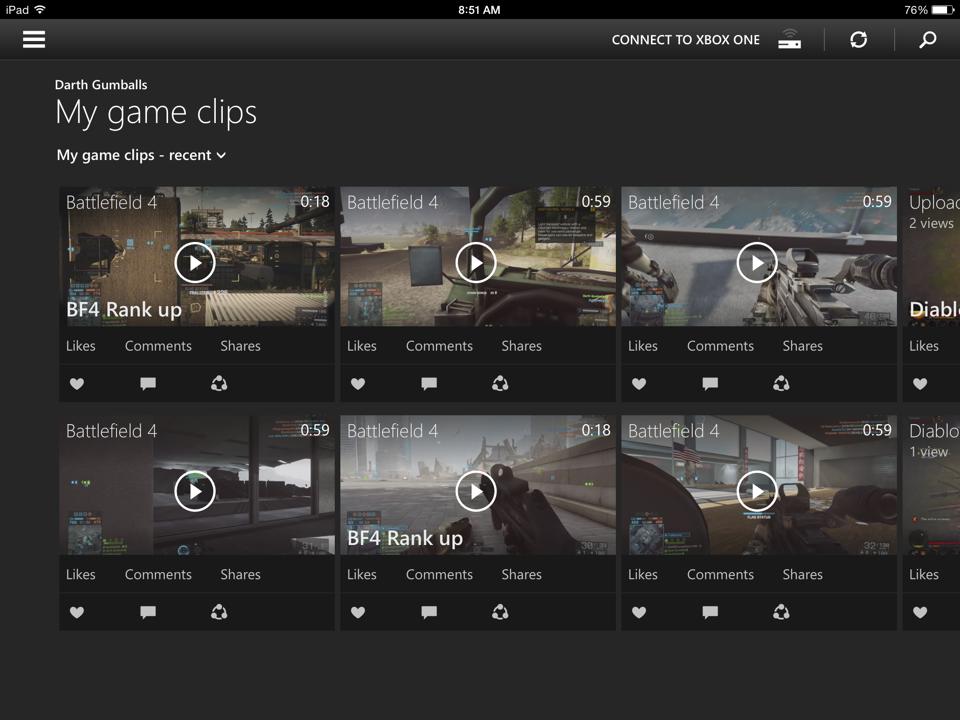
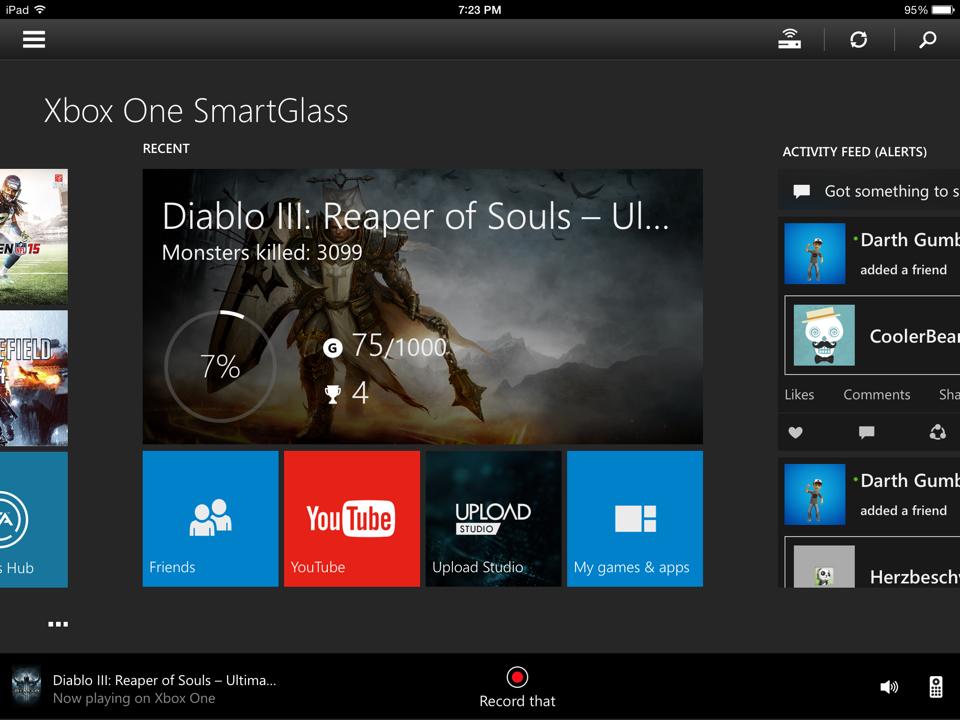
I haven’t used SmartGlass in awhile, but I started using it again recently and I’m in love with it. It makes everything incredibly convenient and even more enjoyable. I love being able to check in on my friends, send messages or view achievements without ever having to leave my game by pushing the home button. I love being able to type using SmartGlass, and I absolutely love the companion apps. You can even view your game clips!

10615601_10107107522464894_7575996813299320362_n

One of my favorite features, which I believe is rather new, is the ability to record game clips using SmartGlass. There’s a ‘Record That’ button at the bottom of the screen (if you’re using a companion app there will be three dots at the bottom of the screen. Simply tap those and a bar will pop up with the ‘Record That’ button on it).

Xbox One SmartGlass

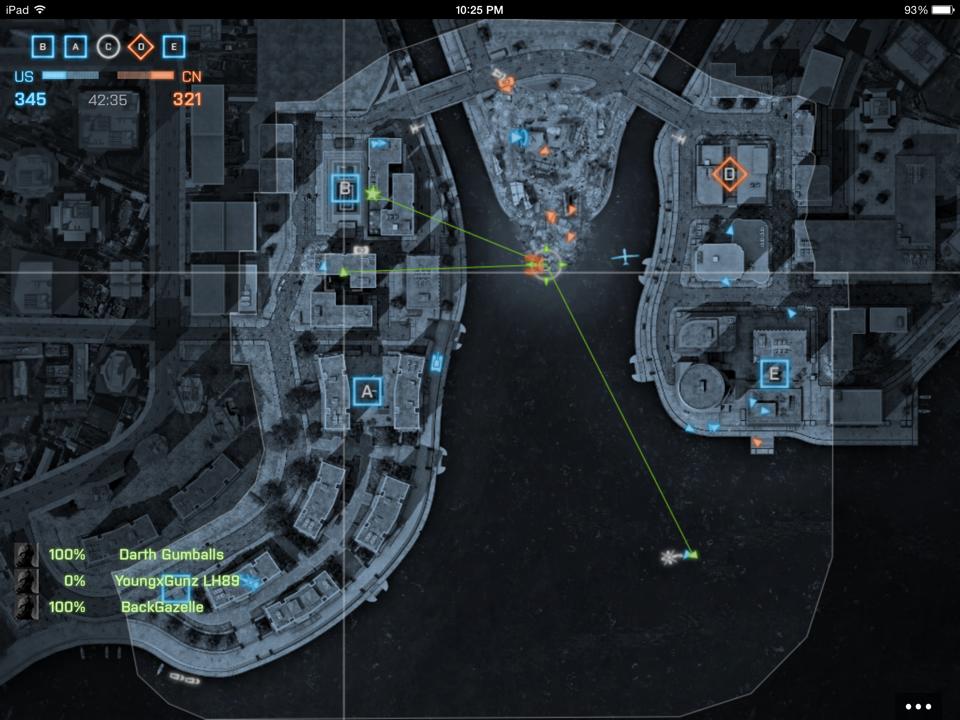
Yesterday I started using the Battlefield 4 companion app which gives you a full screen map and shows your teammate and spotted enemy positions. It’s great for keeping up your situational awareness of the battlefield, and can help you figure out where all the action is.

1896989_10107107521995834_2583541256585850251_n

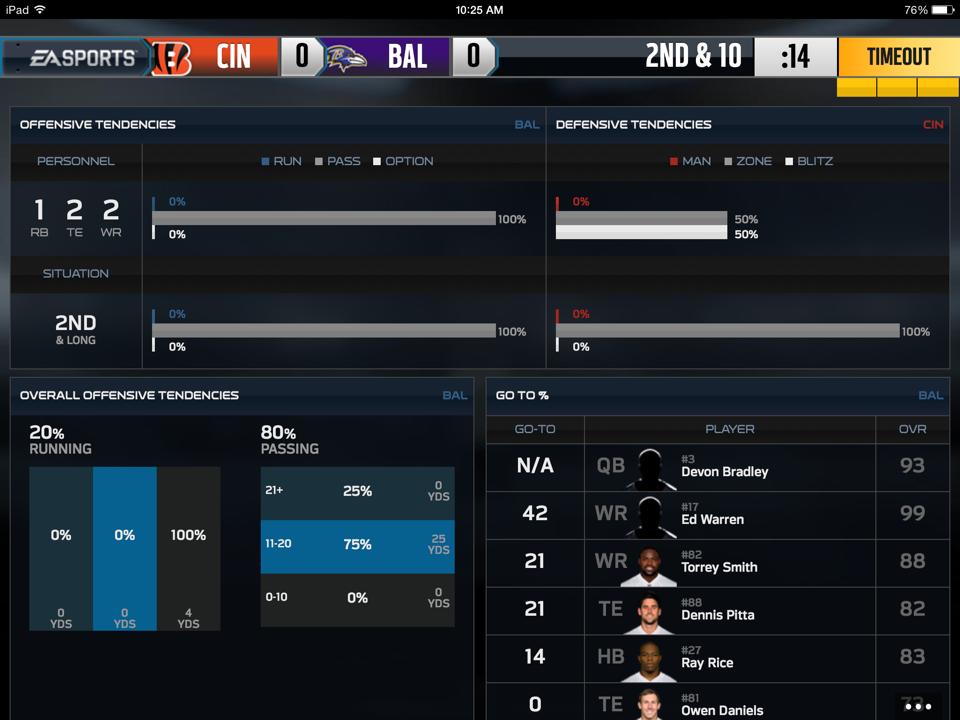
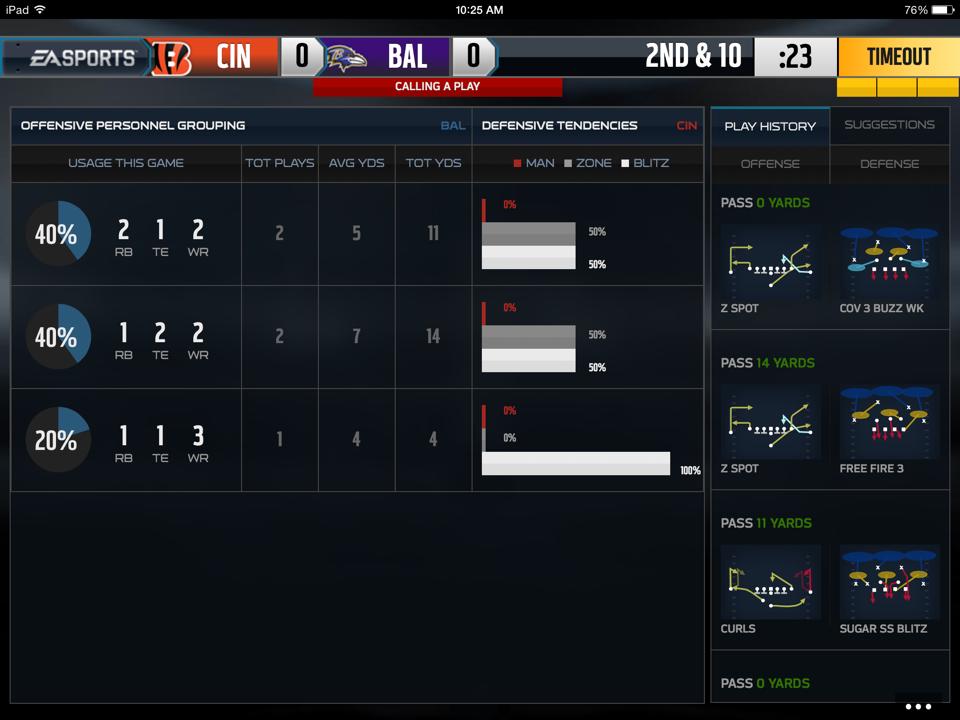
I also enjoy using the Madden 15 companion app which will show previously used plays, opponent tendencies and roster information. You can also manage your depth chart using the app which is an added convenience.

10590537_10107107521481864_4091140121855499339_n 10482134_10107107521307214_3044434911073733864_n

I kind of wish more games (such as Diablo III) had companion apps (I’d love a full screen map and inventory management using SmartGlass), but I’m sure there will be more amazing uses in the coming months. I strongly recommend checking out the Xbox One SmartGlass app if you haven’t had a chance to already.

Diablo III Ultimate Evil Edition, where are my Infernal Pauldrons?

10574210_10107064371784204_8948011453681450216_n

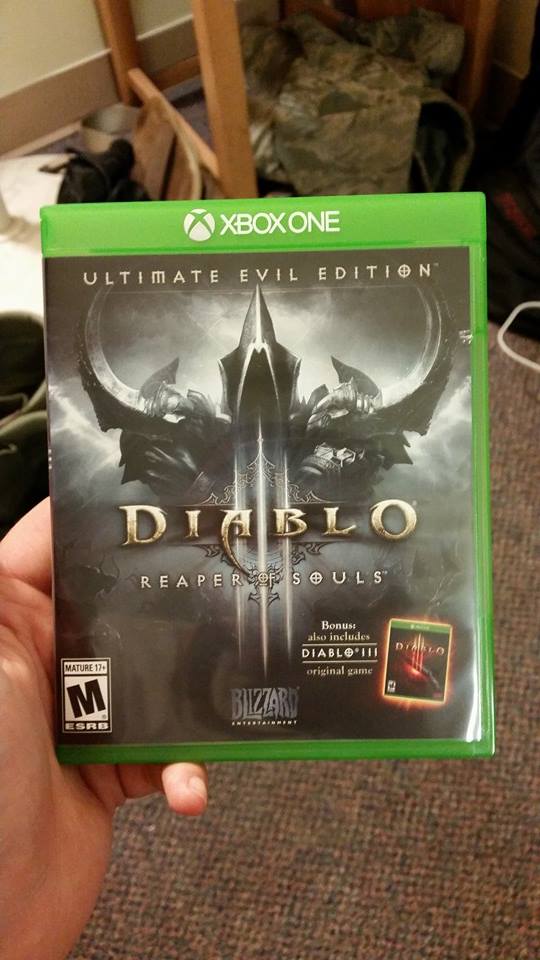
Yesterday I picked up Diablo III: Ultimate Evil Edition for the Xbox One. The Ultimate Evil edition includes Diablo III in much the same way it was offered on the Xbox 360 and PS3 but with the addition of the Reaper of Souls expansion thrown in. There may be some more differences (besides graphics and performance ones), but so far it feels very much like the 360 version which isn’t a bad thing. The console version of Diablo III is by far the better experience if you ask me.

10491191_10107064371938894_6624462608002529544_n

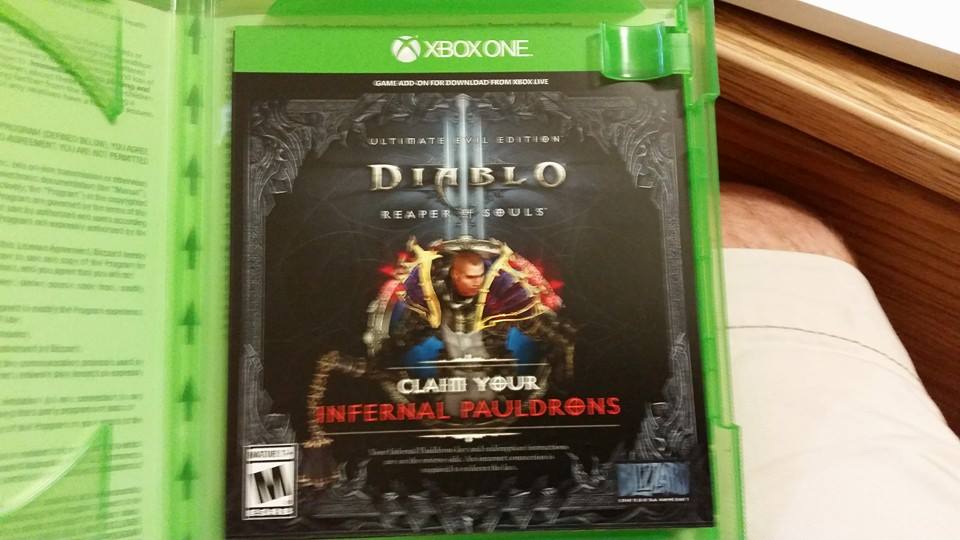
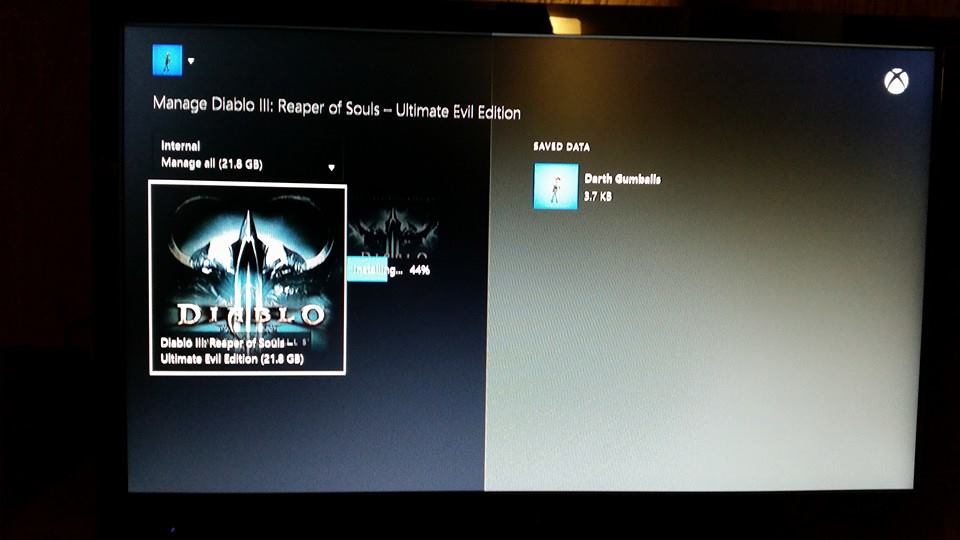
The only issue I ran into was trying to find my Infernal Pauldrons once I booted the game up. After you redeem the code on the insert there’s one more step required that isn’t quite mentioned. You have to go to the Games and Apps menu, select Diablo III and select manage game. From there you have to select the Infernal Pauldrons ‘DLC’  and tell it to install. It’s a small 9.5mb file, and once it’s downloaded the pauldrons will be in your character’s inventory.

10614186_10107064372358054_7805868572623875063_n

Sorry about the blurry picture.

I’ve leveled my Barbarian to level 16 and have enjoyed the Xbox One version of Diablo III quite a bit so far. It’s as addicting as it ever was, maybe even more so. I can’t wait to get deeper into the game and see the Reaper of Souls content for the first time. I have Diablo III on PC but stopped playing once I found out a console version was coming as I just can’t stand clicking a mouse.