Why is The Witcher 3’s text so small?

So I just started playing The Witcher 3 this morning (on the Xbox One) and one thing is really bugging me. The text is so darn small I can barely read anything from the couch without having to lean forward. Not a good design choice at all. It might be acceptable on a PC where you’re close to the screen, but the text in The Witcher 3 is way too small for consoles (on a 47 inch TV).

Is the small text size bugging you too? I feel like I’ve missed so much information already because I really haven’t felt like squinting to read the text. Hopefully it’ll be patched soon!

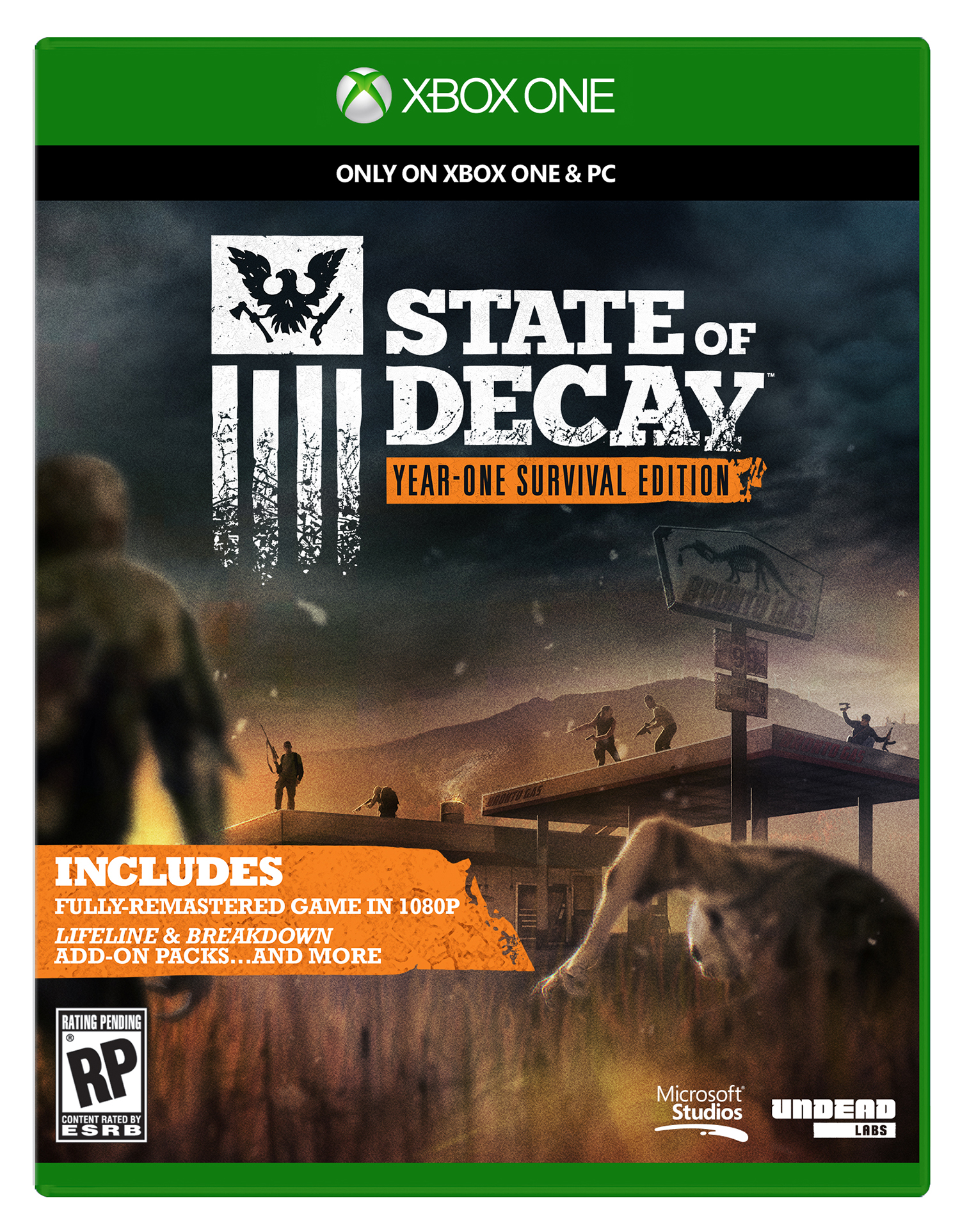
State of Decay on the Xbox One

state of decay xbox one


This weekend I checked out the Xbox One release of 2013 zombie survival game. The re-release, titled the ‘Year-One Survival Edition’, features a graphical enhancement and both DLC add-ons. It would seem that re-releases almost outnumber actual new releases on the current generation of consoles, and yet I keep buying them.

I had picked up State of Decay during one of the Steam sales, however I don’t have much of a gaming PC. I can run most games at relatively low to medium settings on my 2012 MacBook Pro running Windows 10 via Bootcamp, however I don’t often bother booting to Windows even though my Steam library is filled with something like 150 games. I remember playing State of Decay for maybe 45 minutes and not really getting into it. It felt pretty clunky and I just didn’t really see the point of it.

After spending an hour playing the Xbox One version, I can say I’m more impressed with it now than I was then. It certainly looks a good bit better, however I feel like it plays a little smoother as well. I enjoyed exploring the world and watching over my shoulder as I rummaged through abandoned buildings trying to find supplies. I also like the idea of trying to build up a home base while trying to survive.

I’ve found the combat to be pretty satisfying and going on supply runs gets my heart pumping, especially when I accidentally alert a horde of zombies. There have been a few times I barely squeaked through the gate at my base with my life intact. The game is quite thrilling so far, and I’m enjoying it, possibly more than I enjoyed Dying Light (probably because I suck at climbing in that game).

I’m looking forward to checking out more of State of Decay in the coming days. For $30 I’d recommend it if you haven’t previously played it, there’s plenty of fun to be had.

FIFA 15 is now free for EA Access subscribers

FIFA15-xbox-one


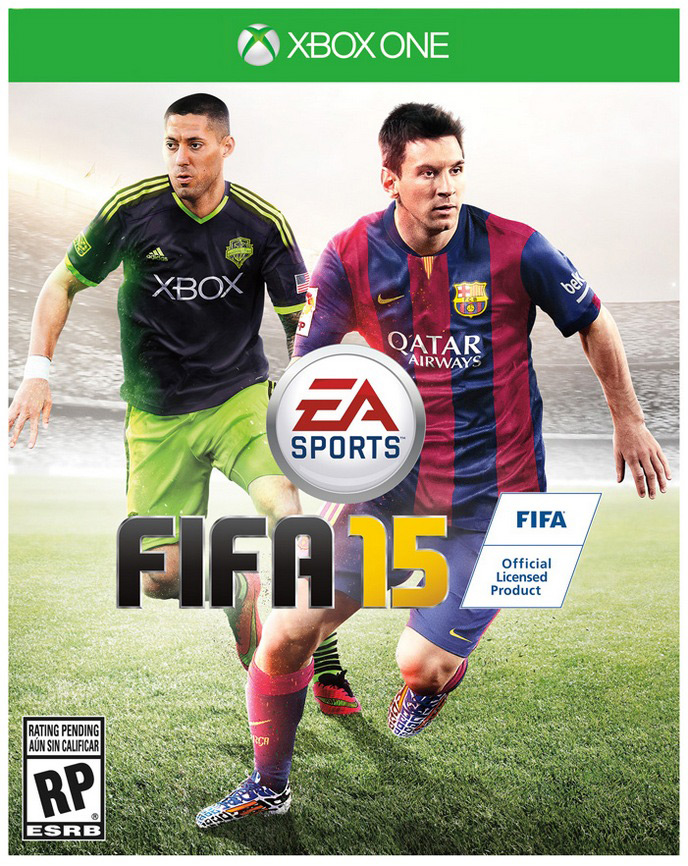
If you haven’t yet subscribed to the EA Access program on the Xbox One, now might be a great time for you to do so. This weekend FIFA 15 became the latest game to be added to the EA Access library of free to play games. We’re still four months out from FIFA 16, so it’s pretty nice to see EA hand out one of their best selling games for free.

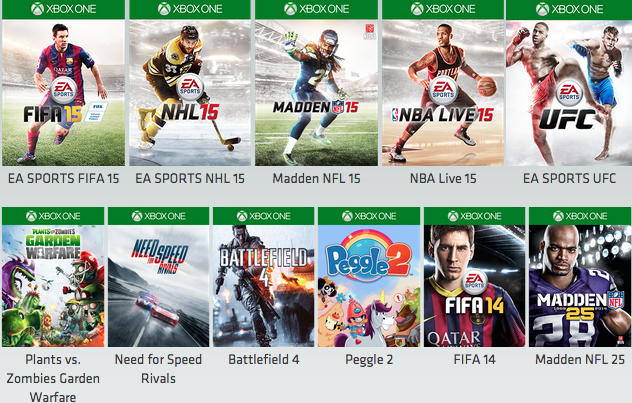
EA Access is $4.99 a month and gives you access to a growing library of free to play EA games. Those games now include: Battlefield 4, Madden 15, Madden 25, FIFA 15, FIFA 14, Need for Speed: Rivals, Plants vs Zombies: Garden Warfare, EA Sports UFC, NBA Live 15 and Peggle 2. You also get 10% off on digital purchases of EA games, which is pretty cool as I saved a couple bucks on Dragon Age: Inquisition on day one.

EA Access games

I’ve subscribed to EA Access since the very beginning and have enjoyed it quite a bit. I had held off picking up FIFA 15, so I was quite excited to see it advertised on the Xbox One home screen this weekend. I can’t wait to dig into it and start a new career!

Watch Dogs is still kinda fun

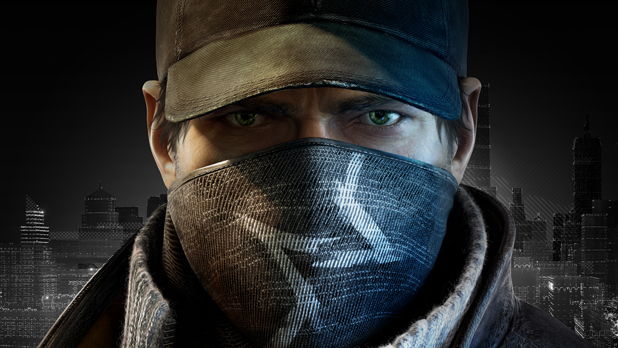
watch dogs

I hadn’t played Watch Dogs in forever, and until recently hadn’t ever thought of going back to it. I remember downloading it on the Xbox One last summer in Hawaii, not because I was necessarily excited for it, but just because I wanted something more to play beyond Madden and FIFA.

I was initially impressed with the game. I enjoyed what seemed like a fresh take on the GTA style game. The hacking mechanic was enjoyable, especially when used while driving to wreck those pursuing you. Playing around with the cameras in order to obtain a tactical advantage over the enemy was also quite satisfying. The story and its characters, however, did little to keep me engaged. At some point I hit a roadblock in the story missions where I got frustrated and I never went back to the game.

This morning I booted up Watch Dogs for the first time in at least seven or eight months. I again found playing around with the cameras to outsmart my enemy to be a blast…literally:

Instead of trying to rush in and engage in a firefight, I scoped out the area by hacking into as many cameras as I could reach. I stalked my enemy from a safe distance, waiting for them to place themselves close to a hackable explosive so I could reduce their numbers. I then slipped in and completed my objective unnoticed. It was surprisingly satisfying.

I then decided to try out one of the “digital trips”, or mini games. I tried out the Madness mode and it was incredibly addictive and fun. The sky turns crimson and demons overrun the streets as you find yourself behind the wheel of a sinister looking vehicle designed to splatter said demons. And that just happens to be your goal: splatter demons and watch your points rack up. It was an absolute blast! I couldn’t stop myself from trying again and again to get further into the challenge while earning and spending skill points to become even more deadly.

Lastly, I decided to fool around with some of the online modes that I had previously ignored. The first one I hopped into was a stalking mission where I was supposed to observe another player without them catching on. I’m not sure if the game lets the person know you’ve entered the game, because I hopped in on a person engaged in a shootout with the police as I creeped around in my car entirely unnoticed (earning an achievement!).

The second mode I played involved finding and decrypting data. You have to hold the data to decrypt it, however the other players can kill you or hack it from you (by getting close enough to you for long enough to steal it). It was pretty chaotic and quite fun. The data switched hands a few times before I managed to grab it and hop on a motorcycle which allowed me to outmaneuver my pursuers long enough to win the match. What fun!

I’m looking forward to playing some more Watch Dogs this weekend. Hopefully I’ll get around to finishing it at some point, however at this rate I’ll probably spend more time engaging with the mini games and multiplayer.

Have you returned to Watch Dogs? What were your initial impressions of the game? Would you recommend it for someone who hasn’t played it yet? If you asked me that eight months ago I probably would have said no, but after today I think I’d have to give it a thumbs up. Watch Dogs is still enjoyable in 2015!

What I’ve been playing this week

Halo: The Master Chief Collection

Last night I jumped back into the Master Chief Collection for the first time in awhile. The matchmaking process was more smooth than the last time I played, however there have also been some less pleasant changes. Halo CE is my favorite game to play Slayer in, yet the dedicated CE playlist is now only 2 vs. 2. I don’t see how a two player team is appealing to anyone these days. It’s not fun to have so much of the map completely void of action as you hunt down the two person team that will always be at the same spot everytime. Furthermore, 2v2 matches are excessively long. It took an eternity for the matches to finish, and most of the time both teams would get bored toward the end and would just start team killing each other.

The Team Slayer and Big Team Battle playlists include Halo CE and allow for larger teams, but the problem is CE maps hardly ever get voted for. If I try to play those playlists I get stuck playing a lot of Halo 3 which I don’t enjoy nearly as much as I do CE. Therefore I end up having to choose between playing matches that bore me, or quitting, leaving my team a man down (and also facing a matchmaking penalty).

On another note, I’m also upset that there’s no longer a Team SWAT playlist. SWAT is one of my favorite Halo game modes, and it’s unfortunate that there’s no longer a dedicated playlist.

Tales from the Borderlands: Episode 2

I’ve also been working my way through episode 2 of Telltale’s Tales from the Borderlands. I’ve been enjoying episode 2 just as much, if not more so than the first episode. Tales from the Borderlands is an absolute masterpiece so far, and I can’t wait to play more of it (I just wrapped up chapter 3).

Forza Horizon 2 Presents Fast & Furious

The standalone Fast & Furious themed game set in the world of Forza Horizon 2 is available for free for Xbox One gamers up until April 10th (when it’ll be priced at $9.99). As long as you download it before April 10th you’ll be able to continue playing the game for free. The game features an achievement list separate from Horizon’s worth 1000 gamerscore which is pretty cool. Fast & Furious features a pretty sweet intro and some great new music alongside some classic Fast & Furious cars. I’ve played around with it for awhile and if you’ve enjoyed Forza Horizon 2 you’ll enjoy this game just as much.

NBA 2k14

I’ve dabbled in the NBA 2K series before, however could never get good enough at the games to enjoy them. I picked up 2k14 for under $10 and jumped into the My Player mode last night. The way they set everything up (story wise) is pretty cool, but you basically have to sit through what feels like 30 minutes of cut scenes before you even get out onto the court for the first time (and then you’ll be riding the bench for awhile longer). I’ve found 2k14 has been easier to play than previous titles so far which means I’m able to enjoy it so far. I’m still completely incompetent on defense and I have hardly any idea how to play offense legitimately. Basically all I do is try to shoot threes, but on rookie difficulty I’ve been able to get by so far (though I have yet to rate beyond a C+).

The rest

I’ve fooled around with Fruit Ninja Kinect 2 and have enjoyed it so far. It’s simple yet aesthetically pleasing and fun to play. I’ve been working through Borderlands 2 still but have hit a few frustrating points (while playing solo) so I think I need to spend some time jumping into other people’s games to level up a bit.

This week I hope to finish Tales from the Borderlands and make some progress in NBA 2k14. Other than that I’ll continue my Madden 15 franchise and play some Advanced Warfare.

What are you playing right now?


Disconnecting my TV passthrough on Xbox One

So as long as I’ve owned my Xbox One I’ve enjoyed the convenience of running my DISH Network through the Xbox One. It’s been nice to use the Kinect and snap TV to check up on a football game, or switch effortlessly between TV and a game or an app on the Xbox One. It’s also been nice to see when my friends log on while watching TV, or to snap my friends list and check to see who is playing what during a commercial.

However, there has always been a pretty significant degrade in image quality when passing the TV signal through the Xbox One. For a long while I just learned to live with it, accepting the degraded quality in exchange for all of the conveniences. However, after I disconnected my Xbox to go on vacation I was taken aback by just how sharp everything looked when not filtered through the Xbox One. It’s honestly a little jarring.

Since I’ve returned from vacation I’ve been reluctant to run our DISH through the Xbox again. So far I’ve left it hooked up directly to the TV and enjoy the superior picture. The degraded quality is most notable when viewing blacks (dark black areas appear more grey when ran through the Xbox) and also during sports.

So now I’m left torn. I miss having the convenience that comes along with routing live TV through the Xbox One, but I’m enjoying the better picture quality.

Do you still run your cable through your Xbox One? Does the degraded quality bother you, or does the convenience make up for it?

Borderlands: The Handsome Collection

d3df68fa7a14cc4e11d7fe89b7b129af200f483f

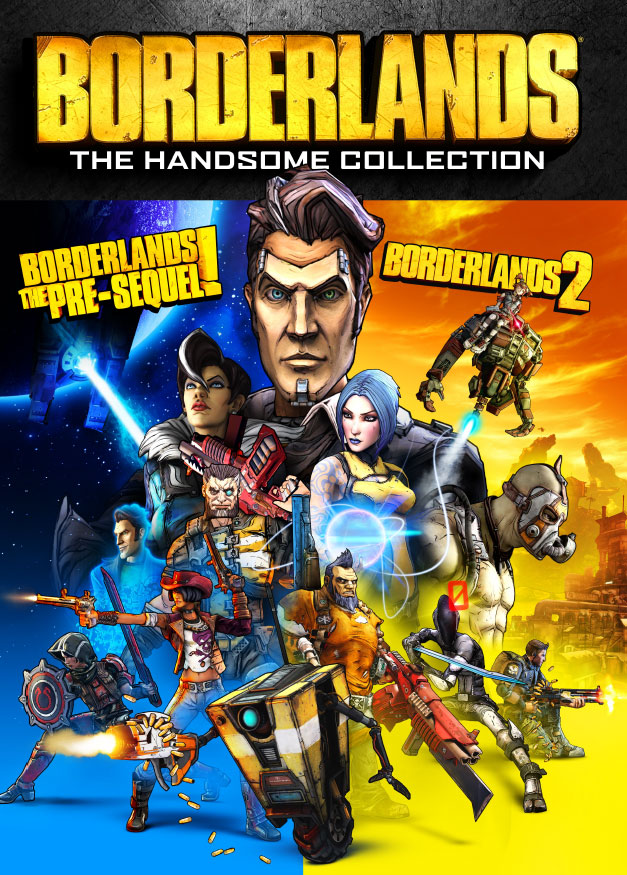
Yesterday I downloaded the Borderlands: The Handsome Collection on Xbox One and excitedly jumped right into the graphically polished Borderlands 2. The first thing I noticed (after the annoying long intro you still can’t skip) was just how crisp everything looked. I played a little bit of Borderlands 2 on the 360 with my brother while I was on vacation and I can say the updated version on the Xbox One is much easier on the eyes. The damage numbers that pop out of enemies look especially clean (a weird thing to comment on, I know) and it felt so satisfying to watch those numbers fly around the screen again.

The gameplay is still the same as far as I can tell, but that’s fine as Borderlands 2 was a blast to play even on the 360. I never got too far into either Borderlands game, but I’m glad I didn’t as I’ll get to experience all of the gameplay in a superior format.

I played around the first hour of the game yesterday solo (I had my game set to open, but no one jumped in) and it was enjoyable, though I found myself dying more than I would have liked. After I hit somewhat of a road block I decided to back out to the menu and try to hop into someone else’s game. The process proved to be a tad unpleasant, as I had trouble joining a game and it took longer than I would have liked. I was initially matched into a game only to receive a message saying I wasn’t on the same patch version as the host which didn’t quite make sense (unless an update dropped while I was playing solo). After that I timed out trying to join another game, but eventually got into a game on the third try.

The multiplayer was as enjoyable as I remember it being, though Borderlands really shines when playing with friends (which I have yet to do). I’m looking forward to jumping back into the game with people I know and mowing down enemy after enemy with a variety of exciting weapons!

I haven’t tried out Borderlands the Pre-sequel yet (I’ll probably wait until I finish Borderlands 2, unless I get bored) so I can’t comment on the quality of that experience. I’ve heard it performs less smoothly than Borderlands 2 which is unfortunate if true. Hopefully it’ll get patched and the issues will be ironed out before I get around to trying it out.


A look at Sling TV (on the Xbox One)

sling-take-back-tv

So I should start off by saying I’m not a cord cutter, and I probably never will be one. I enjoy having a traditional “cable” service. We have DISH Network and enjoy it immensely. I love channel surfing and having a large variety of content, even if most of it I just leave on to fall asleep to (or leave on in the background). I also enjoy watching live sports, and so far it’s not very easy to do so outside of cable / satellite TV. MLB.tv and WWE Network are steps in the right direction, but the NFL is still locked down tightly (the only negative thing about having DISH is not having as much access to the NFL).

With that out of the way, you’re probably puzzled as to why I would sign up for Sling TV if I already subscribe to DISH (and pay over $100 a month). Well, I have to say I’m a huge fan of new ways to consume entertainment, and services such as Sling TV, Playstation Vue, HBO’s new cable free service and the forthcoming Apple streaming TV service are wonderful for all consumers.

These services are great for the college student who can’t afford cable, those in living situations where installing cable or satellite TV isn’t practical, and those who know exactly what they want and don’t want to pay for what they don’t watch.

Sling TV starts at $20 a month, and is completely commitment free. No contract, no extra fees, cancel any time. Heck, you don’t even have to deal with customer retention services to cancel, you can do so right from your account (though I haven’t tried canceling yet as I’ve just signed up).

The sign up process on the Xbox One was a breeze. I was signed up in a matter of minutes. Xbox One users are able to try out Sling TV for 30 days free. You can also add ALL of the add on packages ($5/mo each) for free for the first 30 days as well. Set up your package, enter your payment information and there you have it, you can jump right into watching live TV.

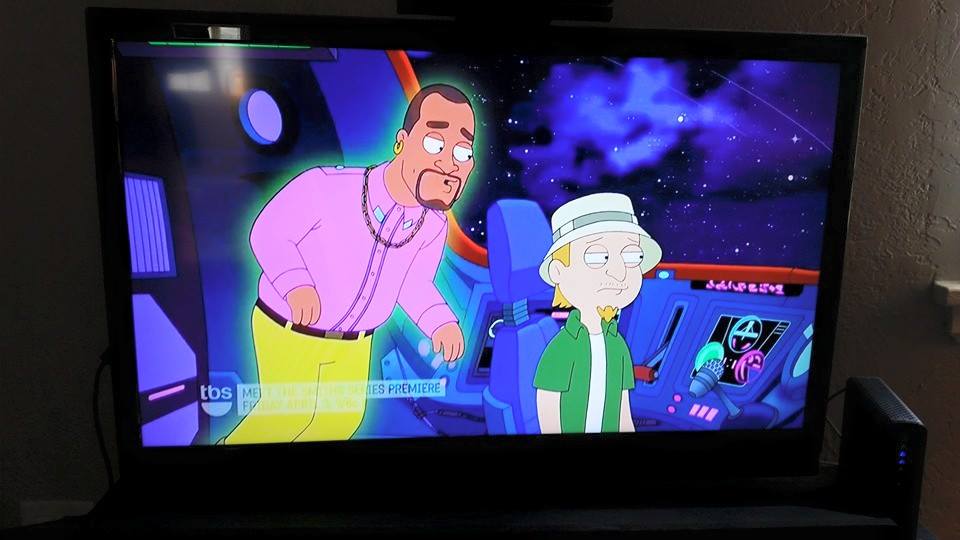
The picture quality is great. I have a 50mbps connection and I can’t tell the difference between a channel on Sling TV when compared to the same channel coming through my DISH. There is some buffering that causes a subpar picture for a few seconds when first switching to a channel, but it quickly clears up (I imagine this could be worse or better depending on your internet connection).
10985858_10108383496323054_6457871706898998282_n

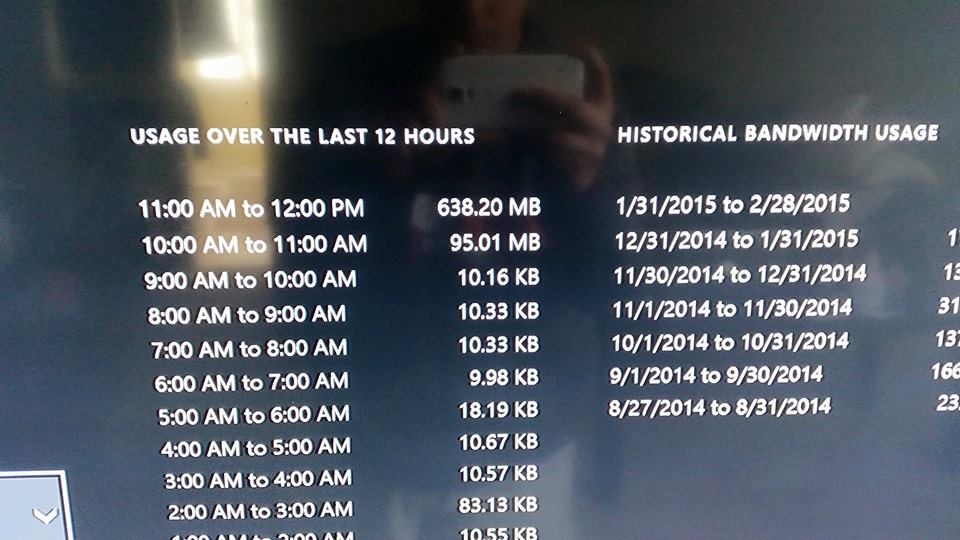
If you have a data cap, using a streaming TV service might not be practical if you watch a lot of TV. We have a 400GB monthly cap that I already eat into a good bit by downloading games and watching Netflix. If I tried to use Sling TV as my primary TV service I would easily blow through my data cap. I checked my bandwidth usage on my Xbox after using Sling TV for about twenty minutes and found that I had used 638MB during that period. I wasn’t downloading anything else, but I wasn’t watching the data in real time so I can’t say for sure how much of that was used by Sling TV. Still, it’s a pretty high number so you can imagine how much data you’d use in a month.
11070530_10108383496472754_1534896083400072775_n

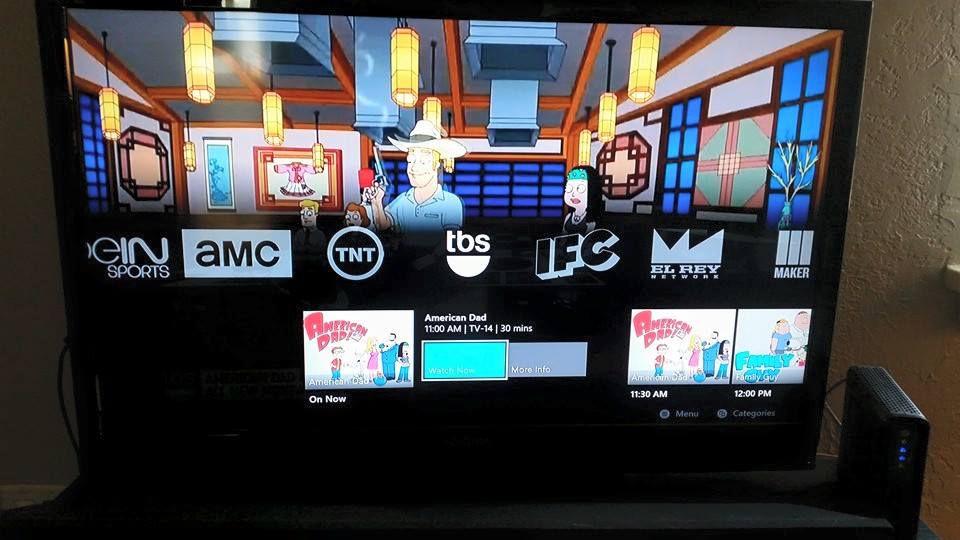
The Sling TV interface is clean and easy to navigate, though I think the DISH interface is easier to navigate (though not as good looking). I like that when viewing a channel’s schedule you’ll see pictures for most of the upcoming shows or movies. However, there doesn’t seem to be an easy way to see everything that is on all the channels without scanning through each one. I could be missing something, but I don’t see any sort of traditional guide.
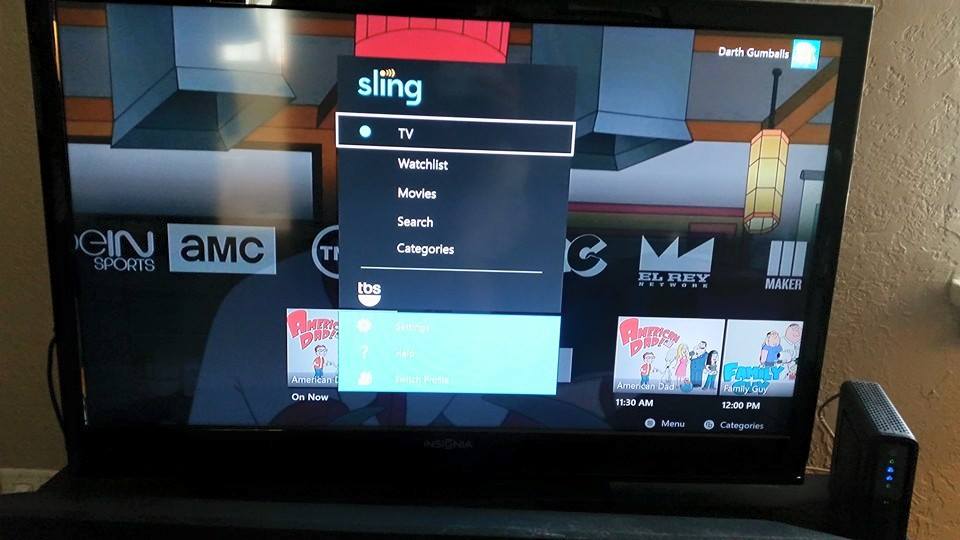
Sling TV guide (xbox one)


sling tv xbox one


Sling TV’s base package includes a lot of high demand channels such as ESPN, TBS, AMC, IFC and Cartoon Network. With the $5 addon packages you can get even more content, such as the sports pack (ESPN News, ESPN U, Universal Sports Network among others), movies (four EPIX channels and Sundance), news and more.

So far I’m pretty impressed with the service. I’m excited to see if these services can affect the traditional cable services, possibly giving users more control over what they get for their money. We can only hope!
Redbox now has Xbox One and PS4 games at more locations

I was browsing Redbox this evening and was surprised to find they now offer Xbox One and PS4 games. Redbox had been testing out the current gen rentals in select locations, but out here in rural Pennsylvania there are several kiosks now offering rentals for those systems.

The rentals are a tad pricey, at $3 a day, however that price point might work for someone who can finish a game in a binge session, or maybe for someone who just wants to give a game a try. I use Gamefly for most of my gaming rentals, however I might be tempted to grab something from a Redbox once or twice.

Have you rented a game from Redbox yet? What do you think of the pricing?

Time to re-up on Xbox Live, $39.99 for 1 year via Microsoft

Screen Shot 2015-02-26 at 11.09.01 AM

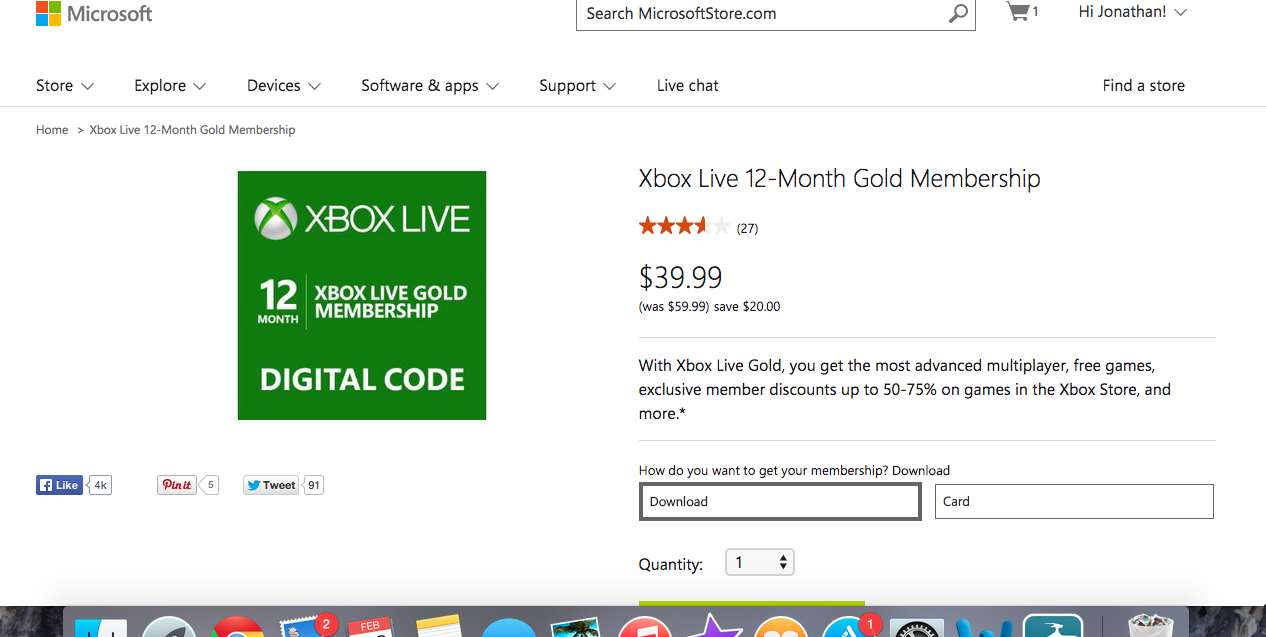
Microsoft itself has cut the price of a year of Xbox Live to $39.99 via the Microsoft Store. There are often sales on Xbox Live subscriptions via other sources, such as Amazon, but this is the first time I’ve seen Microsoft itself selling a subscription for a discounted price (it certainly may have happened before).

There’s no indication of how long the $20 discount will last, so snatch up your code while you can!

I’ve been a monthly subscriber for way too long, and have essentially been throwing away money. I picked up a code and along with my free month from the Master Chief Collection I’m now ‘golden’ until April 2016.